The short version
- A CPU socket is the slot on the motherboard that holds the processor. A chip only fits, and only works, in the socket it was designed for.
- Each new socket usually means a new motherboard. So a socket's lifespan decides whether your next upgrade is a ₹17,000 CPU swap or a whole new platform.
- AMD has kept sockets for a long time: AM4 ran from 2016 and is still getting new chips in 2026. Intel usually changes every two or three generations.
- This week's Raptor Lake Next leak is a rare case of Intel bringing new chips to an older socket, LGA1700.
What a socket actually is
Flip a desktop processor over and you'll see hundreds of tiny gold contacts. Each one carries power, data or a signal between the chip and the rest of the PC: the memory, the graphics card slot, the SSDs and USB.
The socket is the matching connector on the motherboard. It lines up every one of those contacts and clamps the chip down so they all touch. The name usually tells you how many contacts there are: LGA1700 has 1,700, and LGA1954 has 1,954.
LGA vs PGA: where the pins live
There are two main designs:
- LGA (land grid array): the pins are in the socket, and the chip has flat pads. Intel has used this on desktop for years, and AMD switched with AM5 (LGA1718).
- PGA (pin grid array): the pins are on the chip, and the socket has holes. AMD's AM4 used this, with 1,331 pins.
Each has a weak spot. On LGA, it's easy to bend pins in the socket, which means fixing or replacing the motherboard. On PGA, you bend pins on the CPU instead, which is often easier to straighten with patience and a steady hand.
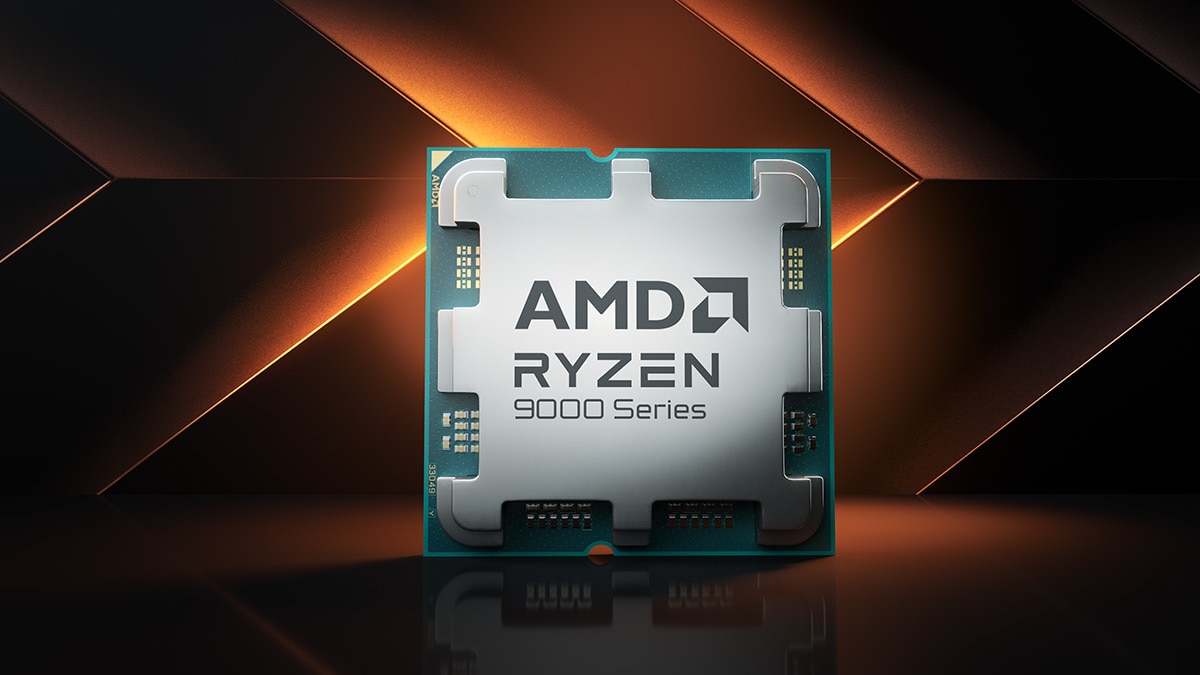
Image: AMD
Why sockets change
If a new chip is physically similar, why not keep the socket forever? Because the contacts are wired for specific things:
- Memory type. DDR4 and DDR5 need different wiring. That's a big reason AMD moved from AM4 (DDR4) to AM5 (DDR5 only).
- Power. Chips with more cores can need more contacts just to deliver power cleanly.
- New connections. Faster PCIe lanes for graphics cards and SSDs, or more of them, need extra pins.
There's also a chipset on the motherboard, like Intel's B760 or AMD's B850. It handles extra USB, storage and networking. Even within one socket, an older chipset may need a BIOS update before it recognises a newer CPU. That's normal, and it's how both companies bring new chips to old boards.
Intel vs AMD: two different habits
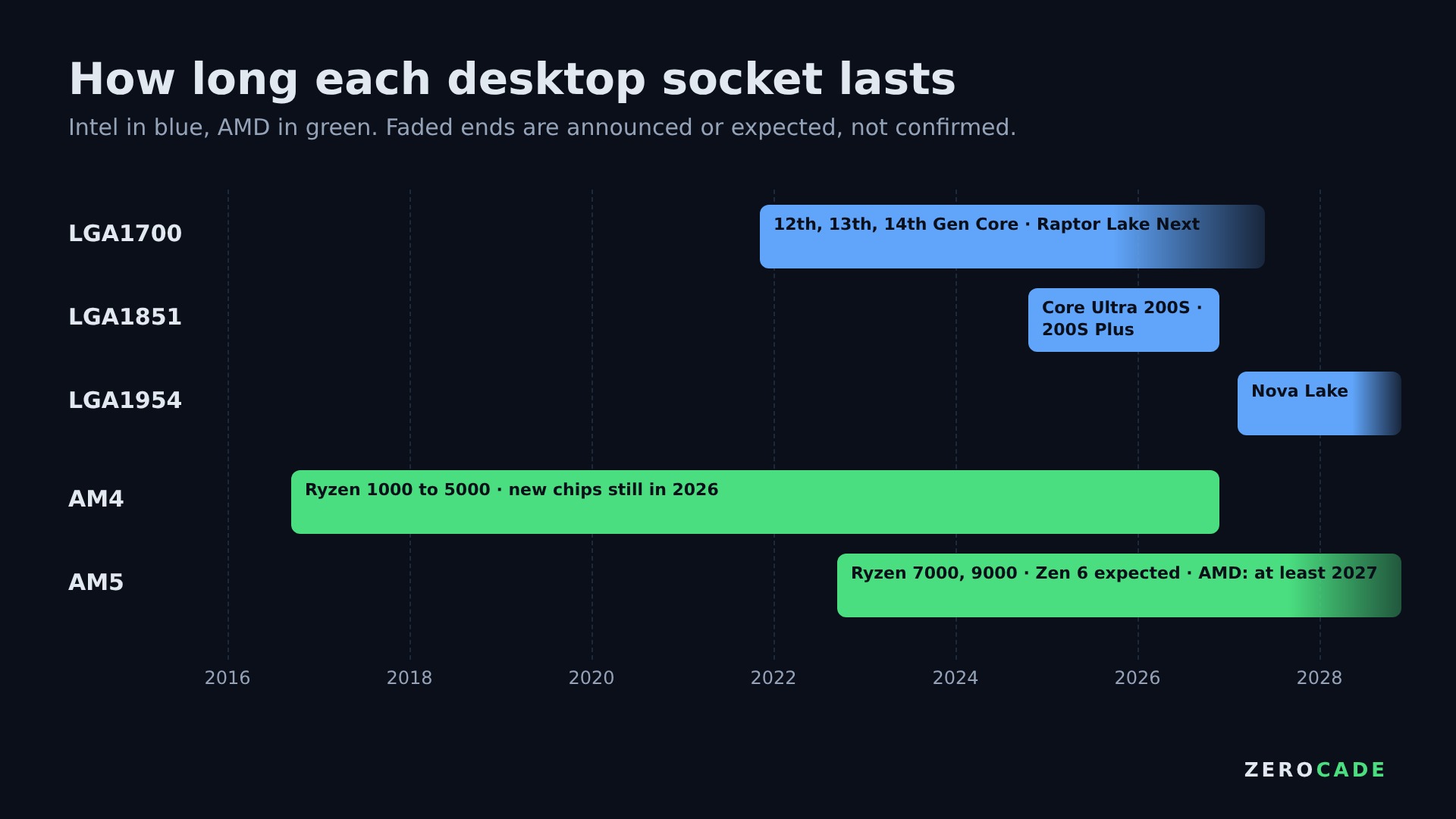
Image: Zerocade
| Socket | Maker | Launched | Chips | Memory |
|---|---|---|---|---|
| AM4 | AMD | 2016 | Ryzen 1000 to 5000, still new models in 2026 | DDR4 |
| LGA1700 | Intel | 2021 | 12th, 13th, 14th Gen Core, Raptor Lake Next expected | DDR4 or DDR5 |
| AM5 | AMD | 2022 | Ryzen 7000 and 9000, Zen 6 expected | DDR5 |
| LGA1851 | Intel | 2024 | Core Ultra 200S and 200S Plus | DDR5 |
| LGA1954 | Intel | Expected 2027 | Nova Lake (Core Ultra 400, per leaks) | DDR5 |
AMD has made socket lifespan a selling point. AM4 covered four generations of Ryzen, and AMD is still selling new AM4 chips like the Ryzen 5 5500F and the 5800X3D anniversary edition. AMD has said it will support AM5 through at least 2027, and board makers like ASUS and ASRock already advertise support for Zen 6 on new B850 boards.
Intel has usually moved faster. LGA1851 covered just one generation of Core Ultra desktop chips and its refresh, and Nova Lake needs LGA1954. LGA1700 is the exception, with a likely fourth wave of chips on the way. Rumours say LGA1954 could last longer than Intel's recent sockets, but Intel hasn't promised anything.
Why it matters for your wallet
Think of a gaming PC upgrade as three parts: CPU, motherboard and RAM. If the socket still has a future, you only replace the first.
Take someone with a Ryzen 5 3600 on a B450 board. They can drop in a faster AM4 chip with more cache after a BIOS update, and keep their board and DDR4. That's one purchase. Moving to AM5 means a new CPU, a new board and new DDR5, which is three purchases. With DDR5 prices as high as they've been in 2026 (our RAM explainer has the details), that difference is large.
On paper, the flip side is that a dead-end socket can still be a good buy. If you'll keep a PC for five years and then replace everything anyway, a cheaper older platform makes sense today. If you like upgrading the CPU every couple of years, a newer socket with a long road ahead is worth paying for.
How to check before you buy
- Find the socket. It's on the motherboard's spec page and the CPU box.
- Check the board's CPU support list. Every board maker publishes one, with the minimum BIOS version for each chip.
- Check the BIOS version if you're buying a board for a newer chip. Many boards can update without a CPU installed, using a USB stick and a button on the back panel.
- Match the memory. Some LGA1700 boards are DDR4 and some are DDR5. They can't swap.
Next time a chip leak mentions a socket name, that's the line to read first. It tells you whether the new chip is an upgrade for your PC, or for a new one.