The short version
- Most of a big game's size is assets: textures, audio, video and 3D models. The code is usually a small part.
- Some PC games copy the same data many times so slow hard drives can load levels faster. Helldivers 2 dropped from 154GB to 23GB when it stopped doing that.
- Fast SSDs and hardware decompression on PS5 and Xbox Series X|S let games store data compressed and still load quickly.
- Patches can be huge because of how files are packed, and sometimes because of plain bugs, like NieR: Automata asking for 366GB this week.
What's inside a game install
A game's code, the part that actually runs, is usually only a few gigabytes. The rest is content:
- Textures: the images wrapped around every surface. A 4K texture holds a lot of detail, and each one is stored at several sizes (called mipmaps), so the game can use smaller versions for distant objects.
- Audio: music, sound effects and every line of dialogue, often recorded in several languages.
- Video: pre-rendered cutscenes, sometimes at 4K.
- Models and animation: detailed characters, buildings and motion-captured movement.
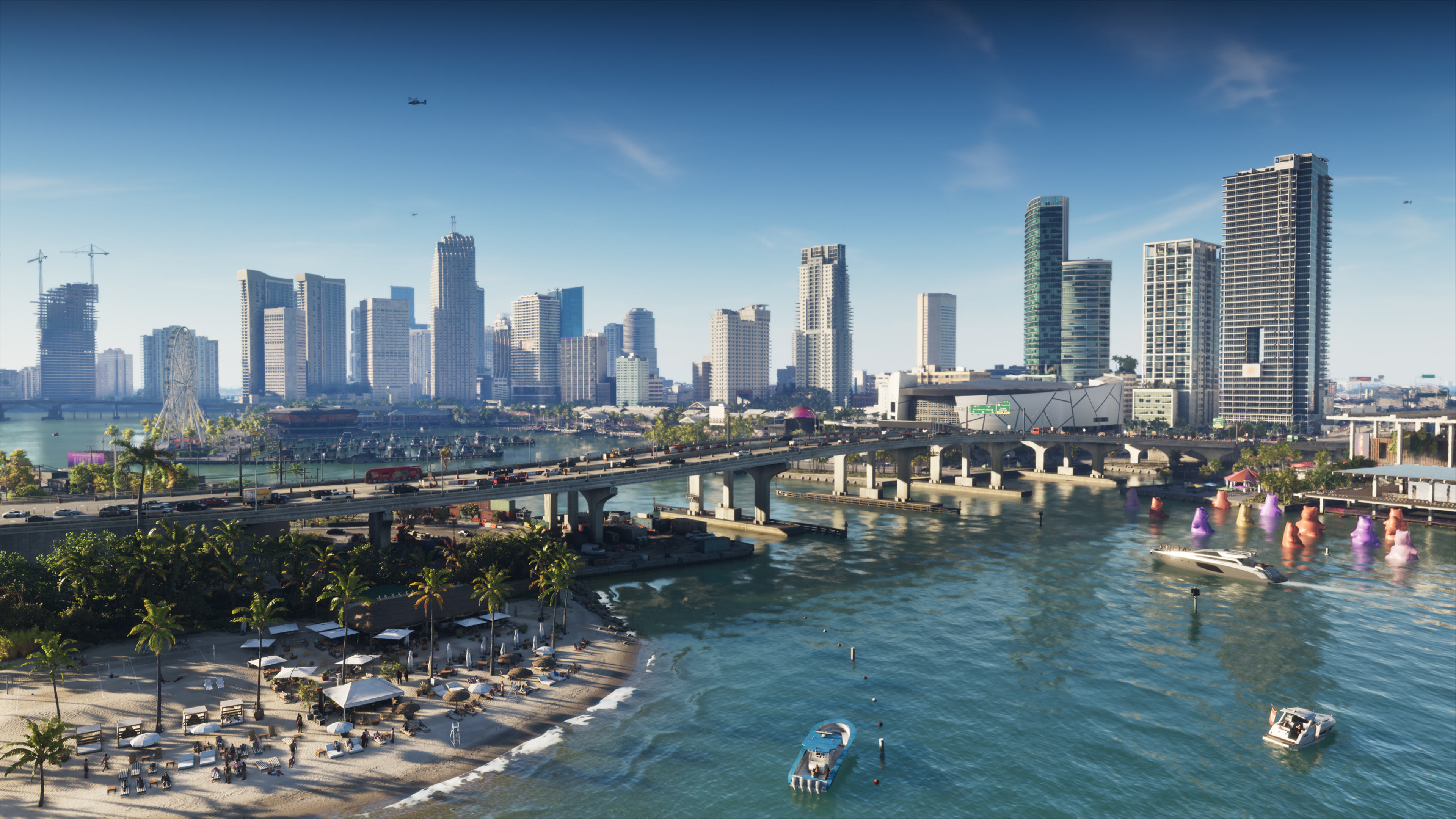
As screens went from 1080p to 4K, every one of those got bigger. Rockstar's GTA 6 is reportedly heading for about 210GB on PS5, which we covered in our post on its reported download size. On a standard 1TB PS5, that's a big share of the space you can actually use.
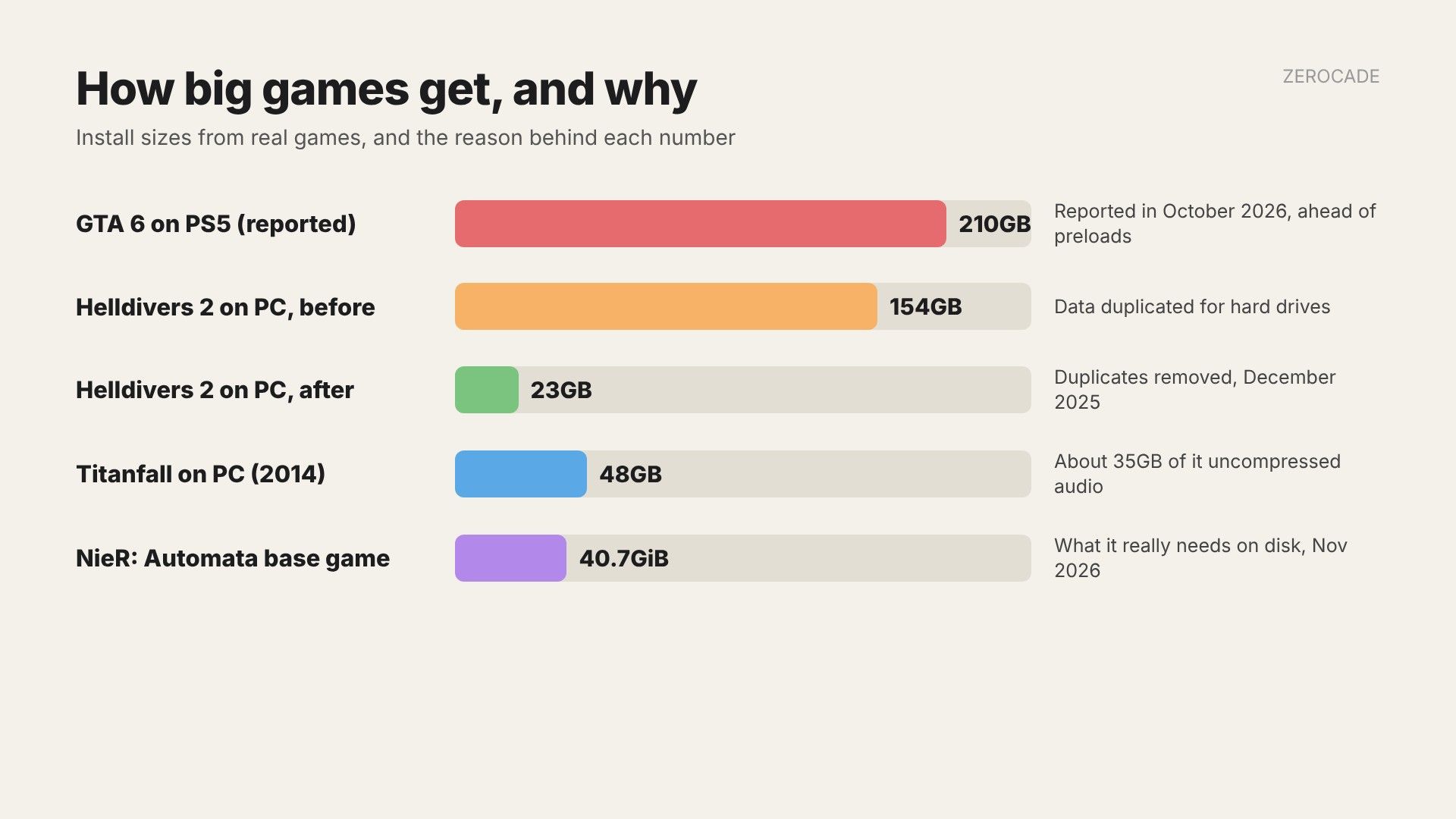
Image: Zerocade
Why some games store less-compressed data
Compressing files saves space, but the game has to decompress them while you play, and that takes processor time.
The classic example is Titanfall in 2014. Its PC install was 48GB, and Respawn said about 35GB of that was uncompressed audio. The reason was the minimum-spec PCs of the time: decoding compressed audio on the fly would have eaten up processor time on a dual-core CPU. So Respawn traded disk space for smoother performance on weaker machines.
Why some games copy the same data
Hard drives have a spinning platter and a read head that has to physically move to each file. That jump, called a seek, is slow. To reduce seeks, developers sometimes pack every asset a level needs into one block on disk, even if the same asset is already stored for another level. The drive then reads one long run instead of jumping around.
On an SSD, which has no moving parts, that trick barely helps. You just pay for it in space.
Helldivers 2 is the clearest recent case. In December 2025, Arrowhead, with help from Sony's PC porting studio Nixxes, offered an opt-in "slim" beta on Steam that removed the duplicates. The install dropped from about 154GB to 23GB, an 85% cut. Arrowhead said its earlier estimates of how much hard drive players would suffer had been wrong. Only about 11% of players used mechanical drives, and their mission loads got slower "by only a few seconds in worst cases". Most of the loading time was spent generating the level, not reading files.

Image: Arrowhead Game Studios / Sony Interactive Entertainment
How SSDs and compression changed consoles
The PS5 and Xbox Series X|S were designed around fast SSDs and built-in decompression hardware. At the Road to PS5 talk in March 2020, Mark Cerny said the PS5's SSD reads 5.5GB/s raw, and that its hardware decompression (using the Kraken format) pushes typical effective speeds to about 8 to 9GB/s. Xbox Series X|S has its own decompression block as part of its Velocity Architecture. On PC, Microsoft's DirectStorage lets graphics cards do the same job.
Because the console decompresses data without slowing the game down, developers can keep files compressed and skip the duplication. That's a big reason console versions of some games are smaller than their older PC equivalents.
Why patches can be enormous
Steam doesn't re-download whole games for every update. Valve's documentation says it splits each file into chunks of about 1MB and, when a new build arrives, only sends the chunks that changed.
The catch is how games pack their files. Many games bundle assets into big archive files. If a patch inserts data near the start of an archive, everything after it shifts, and Steam sees a lot of "new" chunks even if the content hasn't changed. That's how a small fix can turn into a 20GB download.
Then there are plain mistakes. This week, a NieR: Automata patch that only added three languages made Steam list the full game size against every DLC depot, so it asked for 366GB instead of about 40GB. Our post on the NieR: Automata bug has the workaround.
What you can do about it
- Check what you're installing. Many games let you skip high-resolution texture packs, extra language packs or multiplayer modes. On consoles, look under "Manage game and add-ons" or the game's options.
- Look at the install size before a big update, especially if it looks wildly out of line.
- Plan your storage. A 1TB SSD fills quickly if you play several 100GB-plus games. If you're adding a drive to a PS5 or a PC, faster NVMe drives also help games that stream data as you play.
The trend is going both ways. Big open worlds keep growing, but studios like Arrowhead have shown that much of the bulk is a choice, not a requirement.