The short version
- Geekbench 7 came out on July 23, 2026. Almost every chip leak since then, including the Motorola Signature 27 listing, uses it.
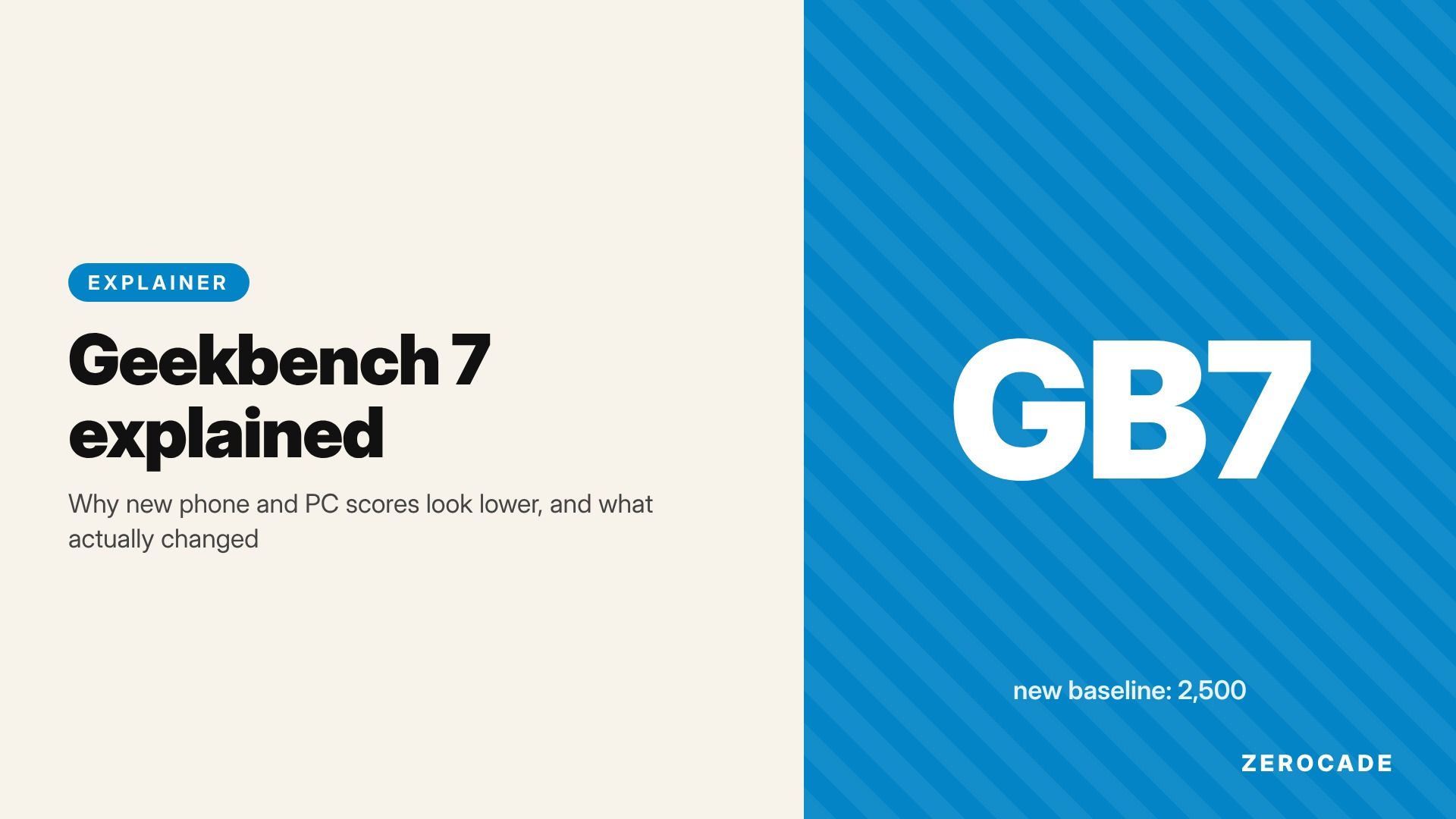
- Scores are calibrated to a new baseline: a Lenovo Legion PC with an AMD Ryzen 7 7700 scores 2,500. Geekbench 6 used a slower Intel Core i7-12700 for that number, so the same chip now scores lower in single-core.
- The CPU tests changed too. There's a new game physics test, three new media tests (AV1 video, Opus audio and speech-to-text captions), and bigger files to chew through.
- Multi-core now only splits a task across cores when the real app would. A Geekbench 7 score and a Geekbench 6 score can't be compared.
What Geekbench is, in one paragraph
Geekbench, made by Primate Labs, runs a set of short tasks that copy real apps: compressing files, opening web pages, editing photos, compiling code. It times each one, compares the time with a reference computer, and turns the result into a number. Run it once using one core and you get the single-core score. Run it using all the cores and you get multi-core. The free version runs on Android, iOS, Windows, macOS and Linux, which is why leaked phones and laptops show up there months before launch. Our benchmark leak guide explains how those listings appear.
Change 1: a new reference chip
Every Geekbench score is relative to one machine. In Geekbench 7 that machine is a Lenovo Legion with a Ryzen 7 7700, set at 2,500 points. A score of 5,000 means twice as fast as that PC, and 1,250 means half as fast.
Geekbench 6 used a Dell Precision with an Intel Core i7-12700 as its 2,500-point reference. The Ryzen 7 7700 is a faster chip, so when it becomes "2,500", everything else shifts down. That's the main reason a phone that scored over 4,000 single-core in Geekbench 6 scores in the mid-3,000s now. The Snapdragon 8 Elite Extreme Gen 6 went from about 4,257 in Geekbench 6 to about 3,582 in Geekbench 7, by Beebom's figures. Same chip, different ruler.
Change 2: new and heavier tests
Primate Labs' own workload document lists the tests by category. The new ones are the most interesting for gamers:
- Game Physics uses Jolt Physics, the open-source engine behind Horizon Forbidden West's physics, to simulate rigid bodies crashing into each other. It's the closest Geekbench has come to a gaming test.
- Video Encoder encodes AV1 video the way a screen-sharing app would, the format YouTube and streaming services are moving to.
- Audio Encoder compresses two minutes of audio to Opus, the codec Discord and most voice chat apps use.
- Video Decoder plays back AV1 video while running Whisper speech recognition to make live captions.
Older tests got bigger too: larger archives for file compression, more PDFs, more photo formats (including JPEG-XL and camera RAW), and Python 3.13 for text processing. A bigger job takes longer, which also pulls scores down.
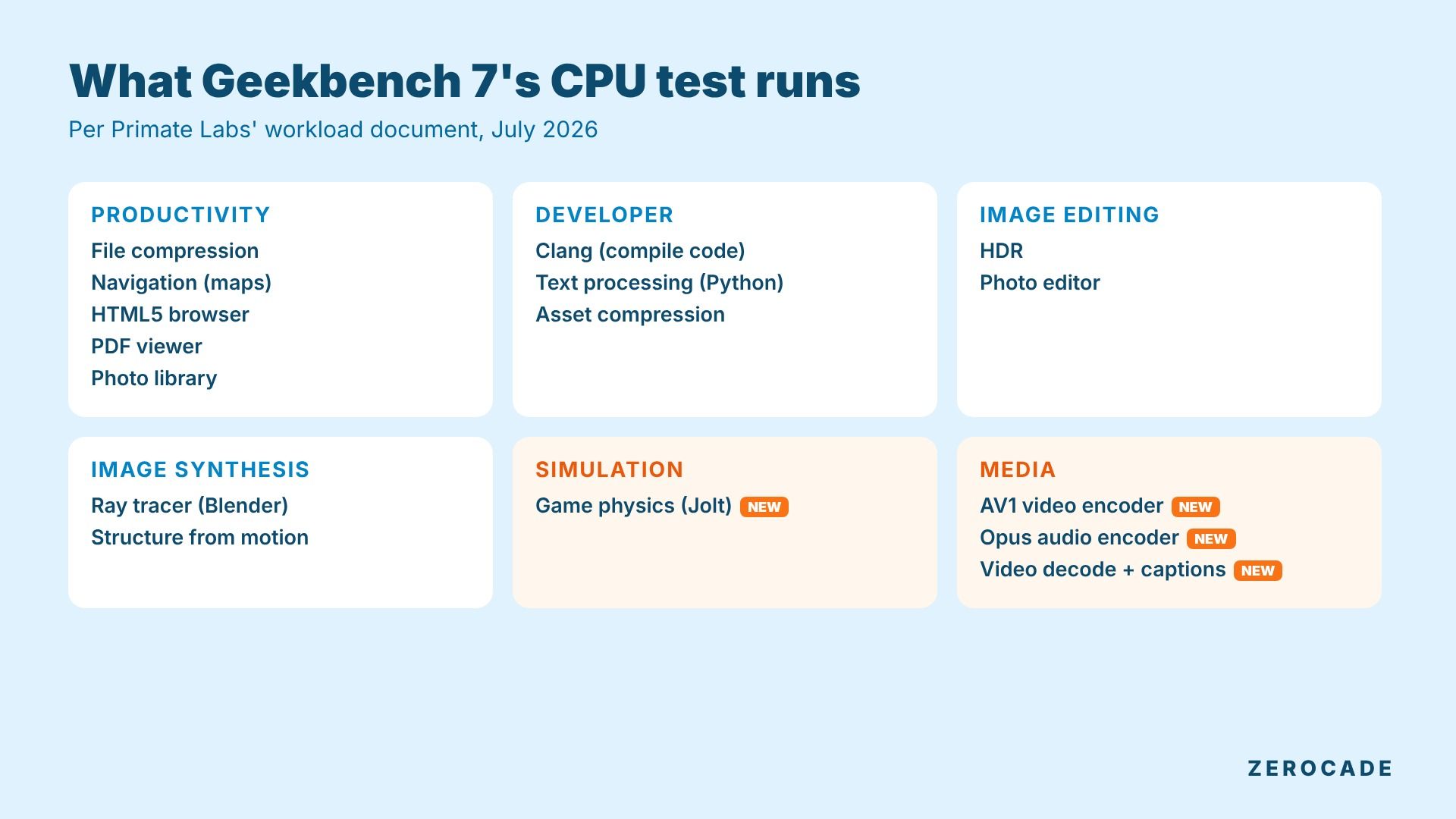
Image: Zerocade
Change 3: a more honest multi-core test
Geekbench 6 ran nearly every test across every core. Real apps don't work like that. A web browser mostly leans on one or two cores, whatever chip you have.
Geekbench 7 only runs a test multi-threaded if the real app it copies is multi-threaded. The browser test is out of the multi-core run entirely. Per Hardware Busters, the new game physics and media tests count only towards single-core. Compression, photo work, code compiling, texture compression and ray tracing still use every core.
So multi-core moved in different directions for different chips. Signal65's testing, reported by TechTimes, found:
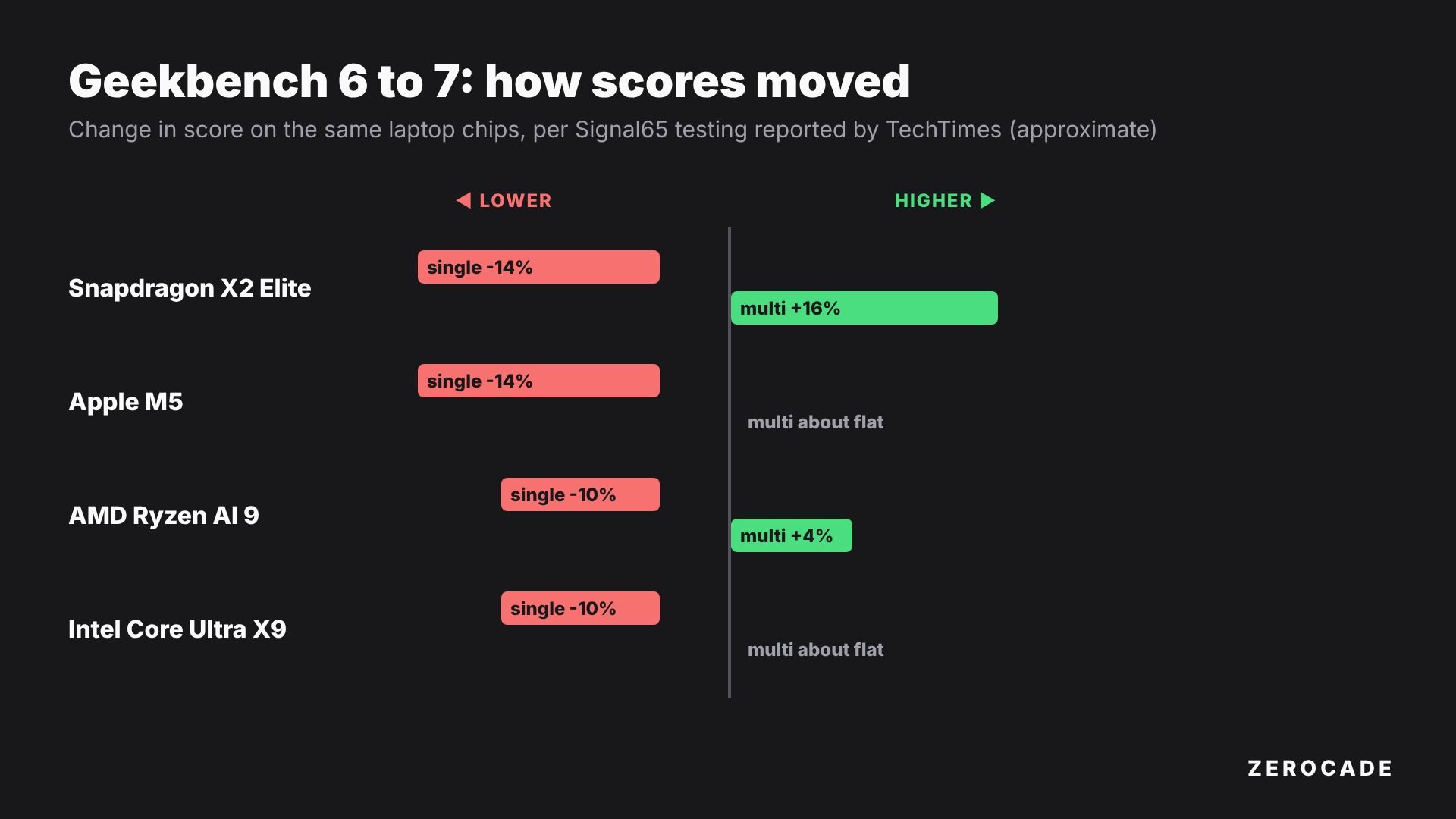
Image: Zerocade
Single-core dropped 9-15% on every chip. Multi-core was roughly flat on Apple's M5 and Intel's Core Ultra X9, up about 4% on AMD's Ryzen AI 9, and up about 16% on Qualcomm's 18-core Snapdragon X2 Elite. These are measurement changes, not chips getting slower.
The GPU test changed too
The GPU benchmark now includes CUDA on Nvidia cards, alongside OpenCL, Vulkan and Metal. Its tests lean towards machine-learning upscaling, face tracking, background blur, RAW photo processing, path tracing and fluid simulation. CUDA scores run well ahead of OpenCL and Vulkan on the same Nvidia card, so check the API before comparing two GPU results.
How to read a Geekbench 7 number
- Check the version. The listing says "Geekbench 7" or "Geekbench 6" at the top. Never compare across them.
- Use single-core for gaming hints. Games depend heavily on single-thread speed, and the new game physics test only feeds the single-core score.
- Treat multi-core as a workstation number. It tells you more about video exports and code compiling than about frame rates.
- Remember it's a CPU test. For phones, the GPU and cooling decide how a game holds up after ten minutes. Geekbench's quick runs don't show that. Our thermal throttling guide covers why.
Geekbench 7 is free for personal use. The Pro version, aimed at testers who need command-line runs and private results, costs $99 (about ₹9,400 converted; Primate Labs doesn't list an India price). Next time a leak says a new phone is "slower than last year", check which version produced each number before you believe it.