The short version
- Microsoft's Auto SR, an AI upscaler built into Windows, is out of preview on the ROG Xbox Ally X and Ally X20, and now covers Copilot+ PCs with AMD Ryzen AI chips too.
- It now works in handheld mode on battery. The preview only worked when the Ally X was docked to a TV or monitor.
- A new Performance mode raises the frame cap to 120fps. In Microsoft's own test, Rocket League went from 70fps to 115fps.
- It's free and works in DirectX 10 or newer games that don't have DLSS or FSR. The base ROG Xbox Ally (₹69,990) isn't supported; the Ally X (₹1,14,990) is.
What Microsoft announced
Microsoft's DirectX team posted the update on November 10. Auto SR is now an official feature, not an Xbox Insider preview, on three kinds of hardware:
- The ROG Xbox Ally X and the OLED ROG Xbox Ally X20, both on AMD's Ryzen AI Z2 Extreme.
- Copilot+ PCs with AMD Ryzen AI chips, which are newly added.
- Copilot+ PCs with Snapdragon X and Intel Core Ultra Series 3 chips, which were already supported.
Four things changed on the handhelds:
- Handheld mode. It now runs on the built-in screen, undocked and on battery.
- 1080p input. Games can now run at 1080p before upscaling. In the preview they had to be below 1080p. On a 1440p TV or monitor the output now goes up to 1440p.
- Performance mode. A second mode raises the cap from around 70-75fps to up to 120fps.
- Auto HDR. It now works at the same time as Auto SR. Before, you had to pick one.
Handheld support, 1080p input and the AMD PC expansion are live now. Performance mode and the Auto HDR change are rolling out gradually through Windows updates, so you may not see them yet.
How Auto SR works
Most upscalers, like Nvidia's DLSS or AMD's FSR, have to be built into each game. Auto SR sits in Windows instead. The game renders at a lower resolution, and Windows upscales the finished frame before it reaches the screen.
The interesting part is where that happens. Auto SR runs its AI model on the NPU, the chip's separate AI processor, rather than on the graphics chip. The Z2 Extreme's NPU is rated at 50 TOPS. Our NPU explainer covers what that number means.
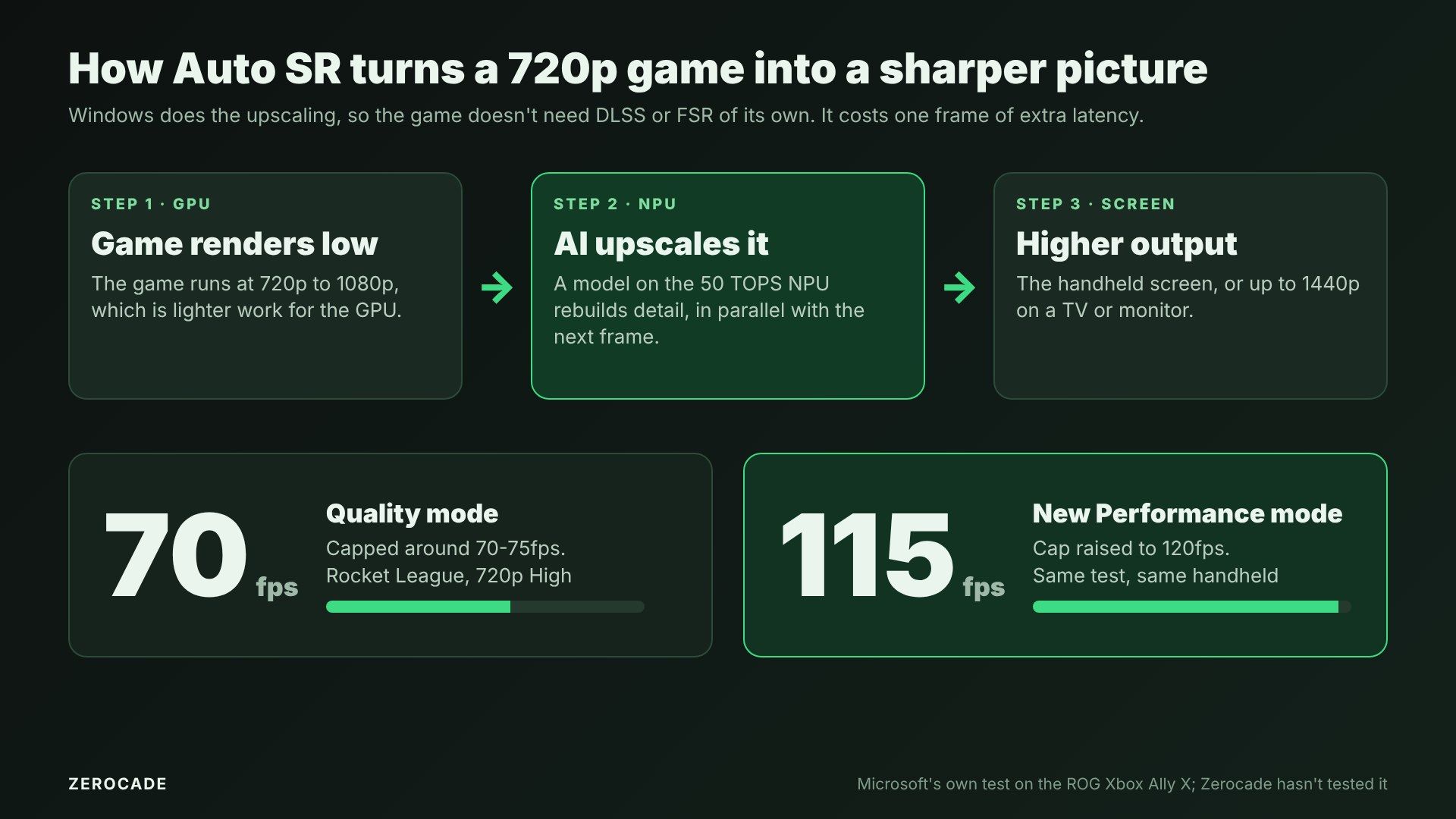
Image: Zerocade
Microsoft explained the trade-off when the preview launched in April. On the graphics chip, an upscaling model only gets about 1-2 milliseconds per frame. On the NPU, it works in parallel with the GPU and gets roughly a whole frame of time, so it can use a bigger, better model. The cost is one frame of extra latency. In a slower single-player game that matters less than in a competitive shooter.
What Performance mode changes
The original Auto SR, now called Quality mode, topped out at around 60-75fps. That's fine for a 60Hz screen, but the Ally X has a 120Hz display.
Microsoft's example is Rocket League on the Ally X at 720p with High settings:
- Quality mode: 70fps on average.
- Performance mode: 115fps on average, about 64% higher.
These are Microsoft's numbers from one game. Zerocade hasn't tested Auto SR, and results will vary by game. You can switch between the two modes in Game Bar while playing, with no restart.

Image: Microsoft
Which games and devices work
Auto SR has clear limits, and they're worth checking before you rely on it:
- DirectX 10, 11 or 12 only. No DirectX 9, Vulkan or OpenGL games, and no 32-bit games.
- Fullscreen only. For games that only run borderless, Microsoft says to lower the Windows display resolution instead.
- No native HDR games. Auto HDR works with it now, but games with their own HDR don't.
- Text can look softer, and screenshots usually don't capture the upscaled image.
Microsoft's current blog only names Rocket League. When the preview launched, it suggested games like Forza Horizon 5, Avowed, DOOM: The Dark Ages, Control, The Outer Worlds 2 and Rainbow Six Siege.
On hardware, the cheaper ROG Xbox Ally uses the Ryzen Z2 A, and neither Microsoft nor ASUS lists an NPU for it, so it's left out. Only the Ally X and X20 get Auto SR.
How to turn it on
- Update Windows 11 (version 24H2 or later) and the Xbox Game Bar.
- Install the Auto Super Resolution Package from the Microsoft Store. There are separate versions for AMD, Intel and Snapdragon.
- Launch a supported game in fullscreen, at 720p to 1080p.
- Open Game Bar with the Xbox button, go to Widgets > Display > Graphics, switch on Auto SR and pick Quality or Performance.
You can also set it per game, or as the default, under Settings > System > Display > Graphics. Game Bar has a split-screen view that shows the image with and without Auto SR, which is handy for judging whether it's worth it in a particular game.
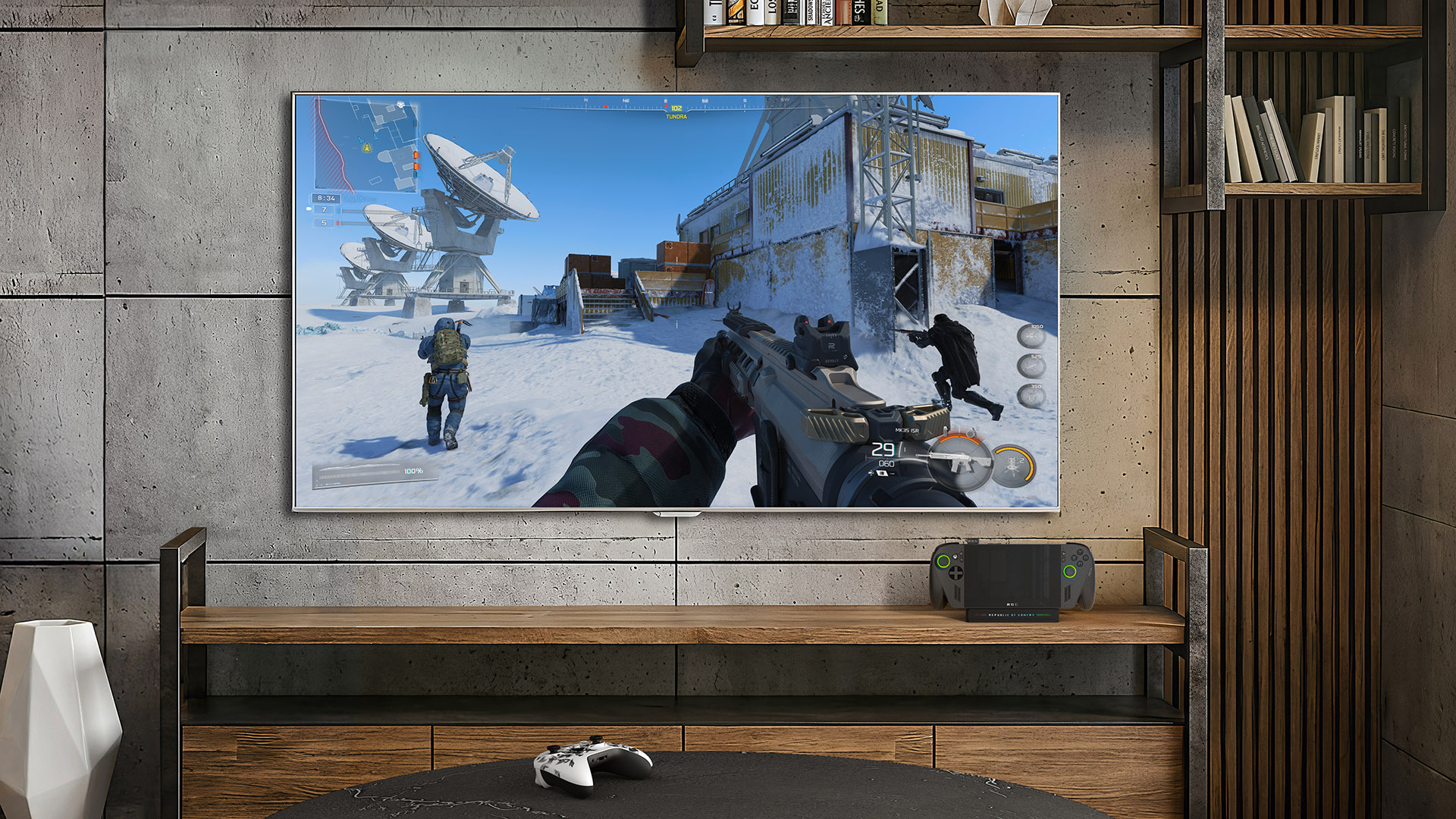
Image: Microsoft
How it fits next to FSR 4
The Ally X got another upscaling option last month: AMD's FSR 4.1, in beta drivers, which we covered in AMD's handheld upscaling story. FSR runs on the graphics chip and only works in games that support it. Auto SR works on far more older games but adds that frame of latency. On paper, the sensible approach is to use a game's own FSR when it has it, and try Auto SR when it doesn't.
DLSS isn't an option on any of these handhelds, since it needs an Nvidia GPU. Our DLSS explainer covers how that works.
What it costs
Auto SR itself is free. The hardware isn't:
- ROG Xbox Ally X: $999.99 in the US and ₹1,14,990 in India at launch.
- ROG Xbox Ally X20: $1,299 in the US, with no Indian price announced yet.
- ROG Xbox Ally: $599.99, or ₹69,990, but no Auto SR.
What to watch
If you own an Ally X, check Windows Update over the next few weeks for the Performance mode option in Game Bar. The bigger question is whether Microsoft publishes a proper list of tested games, because right now you have to try each one yourself.